
ChatGPT training · in-company · worldwide
ChatGPT Training for Teams, Rebuilt for How ChatGPT Works Now
Learning ChatGPT on your own? Read the note for individuals.

Some of the organisations on Skillopedia’s client roster
See the full client list · Skillopedia is independent and not affiliated with OpenAI.
Why older ChatGPT courses are out of date
Six changes a 2026 ChatGPT course has to teach
ChatGPT has changed more in the last twelve months than in the two years before. A course written in 2024 teaches custom GPTs, agent mode and canvas, and all three have since been retired or replaced. We rebuilt the programme around OpenAI’s own help centre and release notes, checked on 22 October 2026. OpenAI notes that some dates can still move, so we re-check them before every cohort.
Custom GPTs end on 11 December 2026
OpenAI is retiring custom GPTs and migrating them to plugins: a GPT’s instructions become a skill, its knowledge files become reference files, and connected apps move across. Custom actions do not transfer. In Enterprise workspaces, creating new GPTs is planned to stop on 26 October 2026, and approved deferrals run to 11 February 2027.
ChatGPT Work took over from agent mode
ChatGPT agent is no longer available. ChatGPT Work, launched on 9 July 2026, researches, works across connected apps and files, produces documents, sheets and slides, and asks you to approve important actions. It is on paid plans except Free and Go.
Connectors became apps, then plugins arrived
On 18 December 2025 connectors were renamed apps. On 9 July 2026 the Plugin Directory replaced the App Directory: a plugin can bundle skills, apps and app templates for one workflow, and existing app connections kept working.
Team is now ChatGPT Business
ChatGPT Team became ChatGPT Business on 29 August 2025. Business now has Standard and Premium seats, includes ChatGPT Work and Codex, and OpenAI does not train on a Business workspace’s data.
Canvas has given way to the chat itself
Since 28 May 2026 canvas is not offered in the current models. Drafts and code are edited in writing blocks and code blocks inside the conversation, and canvas survives only on legacy models for a limited time.
Projects can be shared on every plan
Project sharing reached all plans, Free included, on 23 October 2025. Limits depend on the owner’s plan: 5 files and 5 collaborators on Free, 25 and 10 on Plus and Go, 40 and 100 on Pro. Workspace projects take up to 40 files and 100 collaborators.
Who it is for
ChatGPT training by role, not one generic demo
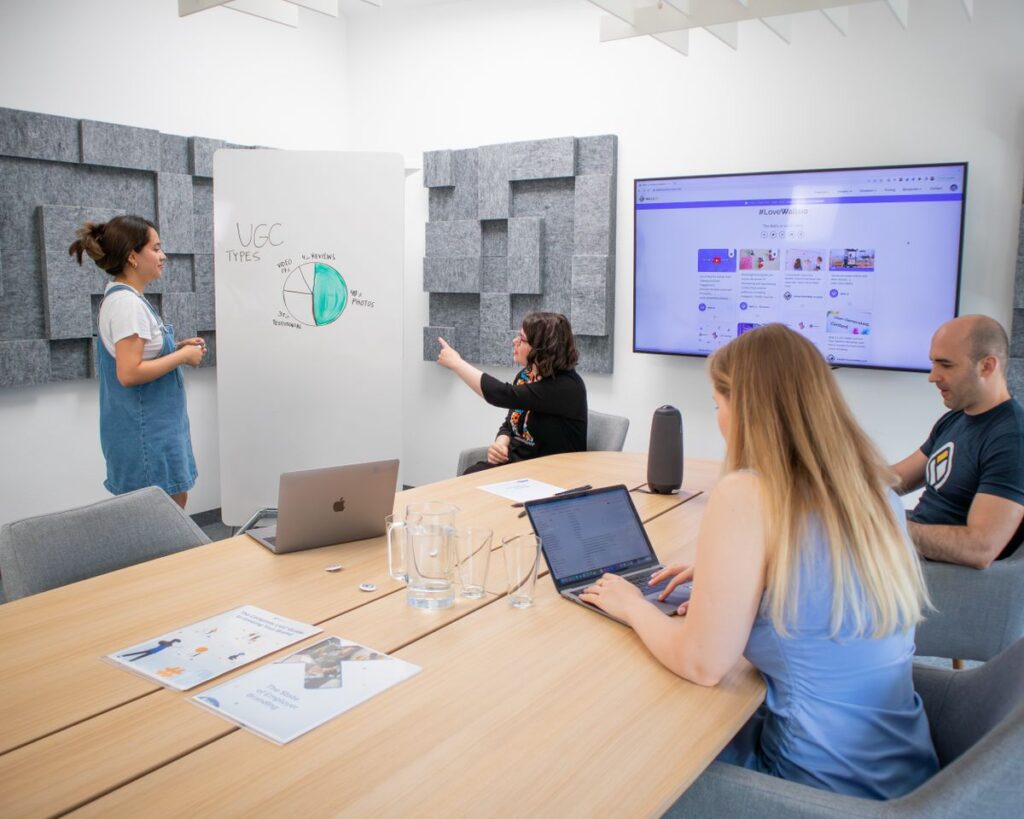
The same tool does very different work in a sales team and a finance team, so each cohort is built for one function and uses that function’s material. Leaders get a shorter briefing on priorities, risk and what to approve first; see AI for CXOs and business leaders. If your people use several assistants, our generative AI for productivity programme covers them side by side.
Sales and account teams
Account research briefs, call preparation, proposal first drafts and follow-up emails, built on your CRM exports and past proposals. AI for sales.
Marketing and communications
Campaign briefs, content calendars and audience research, with a brand-voice project the whole team shares. AI for marketing.
HR and learning
Job descriptions, policy questions, interview guides and onboarding packs, with strict rules on employee data. AI for HR.
Finance and FP&A
Variance commentary, board-pack narrative and spreadsheet analysis, where every figure is traced back before use. AI for finance.
Customer service
Reply drafts, knowledge-base clean-up and complaint summaries that keep tone consistent across shifts. AI for customer service.
Operations and supply chain
Weekly status reports, supplier comparisons and SOP rewrites, with ChatGPT Work handling the multi-step ones. AI for operations.
Outcomes
What each participant leaves with
- One working workflow per person, built during the session on a task from their own last week, not a sample.
- A briefing pattern they can reuse: the goal, the context, an example, the format, and a second pass that checks the first.
- A shared project for the team’s recurring job, with files and standing instructions already in place.
- A checking habit: opening sources, re-running a figure, and saying who signed off before anything leaves the team.
- A one-page AI-use rule agreed with your IT and legal colleagues, covering what never goes into a prompt.
- For builders, a plan to move each custom GPT the team relies on into a tested plugin before 11 December 2026.
Course content
The ChatGPT course, module by module
Modules 1 to 6 suit everyone. Modules 7 and 8 go to the people who will run recurring work and maintain shared tools, and module 9 closes every cohort. Each module opens with a short demonstration; most of the time is spent on the exercise.
Briefing ChatGPT well
Goal, context, an example and a format. Asking ChatGPT to question you first, then to critique its own draft.
Exercise: rewrite one real request from last week three ways and keep the version that needed least editing.Projects and shared projects
One project per recurring job, with files, project instructions and project-only memory, shared with the people who need it.
Exercise: set up a shared project for a weekly report and invite a colleague with chat access.Files, data and audio
Summarising long documents, analysing spreadsheets, building simple charts, and, on paid plans, turning an uploaded meeting recording into notes.
Exercise: analyse a redacted spreadsheet and verify three of the numbers by hand.Search and deep research
Sourced research briefs, and the discipline of opening the sources before quoting them.
Exercise: produce a one-page competitor or market brief and mark every claim you checked.Apps and plugins
Using the apps and plugins your admin has approved, such as drives, mail and calendars, inside the permissions you already have.
Exercise: answer a question from your team drive and note what ChatGPT was and was not allowed to see.ChatGPT Work
Handing over a multi-step task, answering its questions, approving actions and reviewing the finished document, sheet or deck.
Exercise: give Work a real reporting task and log each point where you had to step in.Scheduled and recurring work
Scheduled tasks that prepare a draft on a timetable or when something changes, with a person reviewing before anything is sent.
Exercise: schedule a Monday summary that lands as a draft, never as a sent message.From custom GPTs to plugins
For builders and admins: auditing the GPTs you rely on, migrating them, rebuilding custom actions, and testing the plugin against familiar prompts.
Exercise: migrate one published GPT, compare five answers side by side and record the differences.Safe use and the team rule
What stays out of prompts, how outputs are reviewed, and the one-page rule the team signs before going live.
Exercise: agree the rule’s three red lines as a group and name who reviews what.
Inside a session
How a one-day team workshop runs
A workshop day is mostly practice. The facilitator demonstrates for a few minutes, then moves from table to table while people work on their own material. By the close, every participant has used ChatGPT on four real tasks and kept the one that saved them the most effort.
Worked examples
Four exercises, shown step by step
These are the kinds of lab we rebuild from a client’s own redacted material. Each one shows what goes in, what ChatGPT does, and where a person stays accountable. They illustrate the method; they are not client results.
Sales · An account brief before a renewal call
An account manager has forty minutes before a renewal meeting and three years of notes scattered across email and the CRM.
- A CRM export, the last two proposals and the client’s annual report go into the account project.
- ChatGPT drafts a one-page brief: what was bought, open issues, likely objections, and three questions to ask.
- Deep research adds recent public news about the client, with sources.
Finance · Variance commentary for the monthly pack
An FP&A analyst writes the same commentary every month from a budget-versus-actual sheet.
- The redacted sheet and last month’s approved commentary are uploaded to the finance project.
- ChatGPT calculates the largest variances, charts them and drafts commentary in last month’s style.
- It lists any line it could not explain from the data.
HR · A policy assistant the whole team shares
An HR team answers the same leave and travel questions every week.
- Current policies go into a shared project with instructions to quote the clause and say when a question needs a person.
- Team members ask ChatGPT first and paste the answer, with the clause reference, into their reply.
- Unclear cases are logged and the policy owner decides.
Operations · The weekly status report in ChatGPT Work
An operations lead compiles a weekly report from three trackers and a supplier inbox.
- Work is given the trackers through approved apps and a template for the report.
- It gathers the updates, builds the spreadsheet and the two-page summary, and pauses for approval before any important action.
- A scheduled task prepares the next draft every Monday.
Data handling
Which plan, which data, and who decides
Most of the risk in a ChatGPT rollout sits in two choices: which account people use, and what they paste into it. We settle both before the first exercise.
Workspace plans. By default OpenAI does not use content from ChatGPT Business, Enterprise or Edu workspaces to train its models, and admins control apps, plugins and sharing centrally.
Personal plans. On Free, Go, Plus and Pro, model training depends on each person’s Improve the model for everyone setting, and company controls do not apply. We keep company data out of personal accounts.
Where data is stored. Data residency for Business is rolling out gradually: a storage region is chosen at checkout, it covers content at rest rather than where requests are processed, and a copy is kept in the United States for a limited time for abuse monitoring. Enterprise and Edu have separate residency terms.
Before we receive any file
- We sign your NDA.
- Labs use redacted or synthetic material unless you approve otherwise in writing.
- No passwords, ID numbers or banking details in any exercise.
- Approvals stay on in ChatGPT Work while people learn.
Formats and duration
Choose the format, then the plan it runs on
| Format | Length | Suits | Delivery |
|---|---|---|---|
| Leadership briefing | 90 minutes to half a day | Executives deciding priorities, plans and rules | On-site or online |
| Team workshop | 1 day | One function of 15 to 30 people | On-site, or two to three online sessions |
| Builders and admins day | 1 day | People who maintain plugins, skills, apps and workspace settings | On-site or hybrid |
| GPT migration clinic | Half day | Owners of custom GPTs before 11 December 2026 | Online |
| Rollout programme | 4 to 12 weeks | Several departments or countries | A mix of the above, sequenced through FLUENT |
| Plan | What the training can cover |
|---|---|
| Free and Go | Briefing, files and shared projects; fine for a pilot, but keep company data out |
| Plus and Pro | Adds ChatGPT Work and more capacity; still personal accounts outside company control |
| Business | Shared workspace, admin controls, apps and plugins, ChatGPT Work and Codex; no training on your data |
| Enterprise and Edu | Everything in Business plus enterprise controls, role-based permissions and separate residency options |
Get a proposal
Tell us the team, the headcount and the ChatGPT plan
Send the form and we reply within one working day. After a short scoping call you receive a written proposal with:
- the cohorts, formats and dates
- the material each team should prepare, and how to redact it
- a draft outline of your one-page AI-use rule
- a fixed, itemised fee
Request a ChatGPT training proposal
Reply within one working day. No obligation.
How an engagement works
FLUENT: six stages from first scoping call to day-30 review
Every Skillopedia programme follows FLUENT, our six-stage method. A typical ChatGPT rollout runs like this.
Measuring results
How we measure without inventing numbers
We do not quote hours saved before anything has been timed. The measures are agreed in week 0 and reported from your own data.
| Measure | How it is collected | When |
|---|---|---|
| Time per task | Three real tasks per team, timed by hand and then with ChatGPT | Day 30 |
| Workflows in use | Champions confirm which workflows each team still runs | Days 30 and 60 |
| Rework | Corrections logged at review, as a share of outputs checked | Day 30 |
| GPTs migrated | Custom GPTs replaced by tested plugins, against the audit list | Before 11 December 2026 |
| Feedback | Post-session survey on usefulness and confidence | After each cohort |
Your options
In-house workshop, public course or OpenAI Academy?
There are good free and paid ways to learn ChatGPT. OpenAI Academy offers free, self-paced courses such as AI Foundations and Agents and Workflows, with badges for passing their assessments. Public courses put individuals from different employers in one room. Here is how they compare for a team.
| Question | OpenAI Academy | Public course | Skillopedia in-house |
|---|---|---|---|
| Whose material? | Course examples | Generic samples | Your redacted work, in your workspace |
| Team rule and data handling | General guidance | Rarely covered for your firm | Drafted with your IT and legal colleagues |
| GPT migration help | Self-directed | Varies | Audit, migration and testing of your GPTs |
| Follow-up | Self-paced | Ends with the class | Champions and a day-30 review |
| Best for | Individuals and refreshers | One or two people | Teams of 15 or more |
Certificates and funding
An honest answer on certificates
Every participant receives a Skillopedia certificate of completion. It is not an OpenAI certification: OpenAI runs its own programme, OpenAI Certified, and its Academy badges are separate again. Skillopedia is independent and not affiliated with OpenAI. We do not claim any government subsidy or tax scheme for this programme; companies usually pay from their training budget, and we send an itemised quote your finance team can assess.
For individuals
Looking for a ChatGPT course for yourself?
We train organisations in private cohorts and do not sell single seats. If you are learning on your own:
- Start with OpenAI Academy’s free courses on using ChatGPT at work.
- Practise on one real task a day for two weeks.
- If colleagues need the same skills, share this page with your HR or L&D team.
What participants say
Rated 4.8/5 on average by 300+ surveyed participants
“Started using ChatGPT right after the session. Great explanation, shared in a very nice manner.”
“Very productive session for working professionals. Must do.”
“A very nice session — good explanation and a wonderful trainer.”
Comments are from Skillopedia AI programmes generally. More on our testimonials page.
FAQ
ChatGPT training: frequently asked questions
What does ChatGPT training for teams cover?
Briefing ChatGPT well, Projects and shared projects, files and data analysis, search and deep research, apps and plugins, ChatGPT Work for multi-step tasks, scheduled tasks, and safe use. Builders and admins add plugins, skills and the custom GPT migration.
Do you still teach custom GPTs?
Only so teams can move off them. OpenAI has scheduled custom GPTs to retire on 11 December 2026 and is migrating them to plugins, where a GPT’s instructions become a skill. We teach the plugin approach and help owners migrate and test what they rely on.
What happened to agent mode?
ChatGPT agent is no longer available. Longer, multi-step tasks now run in ChatGPT Work, which OpenAI introduced on 9 July 2026 and offers on paid plans other than Free and Go. Our module 6 is built around it.
Is canvas still part of the course?
No. OpenAI stopped offering canvas in its current models from 28 May 2026, and writing and code are now edited inside the chat in writing blocks and code blocks. We teach that way of working.
Which ChatGPT plan do we need for the training?
Any plan works for learning the method. For company data we recommend Business or Enterprise, where OpenAI does not train on your data by default and admins control apps, plugins and sharing. ChatGPT Work needs a paid plan other than Go.
Is ChatGPT Business the same as ChatGPT Team?
Yes. OpenAI renamed Team to Business on 29 August 2025. Business now offers Standard and Premium seats in one workspace.
Can we use our own documents during the training?
Yes, that is the point of it. We sign your NDA, and exercises use redacted or synthetic versions of your material unless you approve otherwise in writing.
How long is a ChatGPT workshop?
A leadership briefing runs 90 minutes to half a day, a team workshop one day, a builders day one day, and a full rollout four to twelve weeks including the champion handover and the day-30 review.
Do you deliver online and in other countries?
Yes. We run live online cohorts in your time zone, in person at your offices, or hybrid, for organisations in India, the Middle East, Europe, Asia and North America.
Is your certificate an official OpenAI certification?
No. Participants receive a Skillopedia certificate of completion. OpenAI runs its own OpenAI Certified programme, and OpenAI Academy badges are separate from both.
What does ChatGPT corporate training cost?
It depends on the format, the number of cohorts and whether delivery is on-site or online. You receive a fixed, itemised quote within one working day of sending the form.
Can individuals join a ChatGPT course?
We do not run public courses. Individuals can start with OpenAI Academy’s free material, or ask their employer to bring a cohort to us.
Do you cover other AI tools too?
Yes. If your teams also use Claude, Gemini or Microsoft Copilot, we can teach them side by side or separately, for example in our Claude AI training.
By location and topic
ChatGPT training in your country or city
Next step
Pick one task your team does every week. That becomes the first exercise.
Tell us the team, the number of people, your ChatGPT plan and a preferred start date. We reply within one working day, and after a short scoping call you receive a written proposal with a fixed fee.
- Private cohorts on your own redacted work
- A one-page AI-use rule agreed with your IT team
- A plan for every custom GPT you still depend on
Request a ChatGPT training proposal
We reply within one working day. No obligation.